
A clear view of every learner in your class: their current targets, what helps them learn, and what to focus on today. No hunting through plans. No waiting for a corridor conversation. Just the information you need, at the moment you need it.
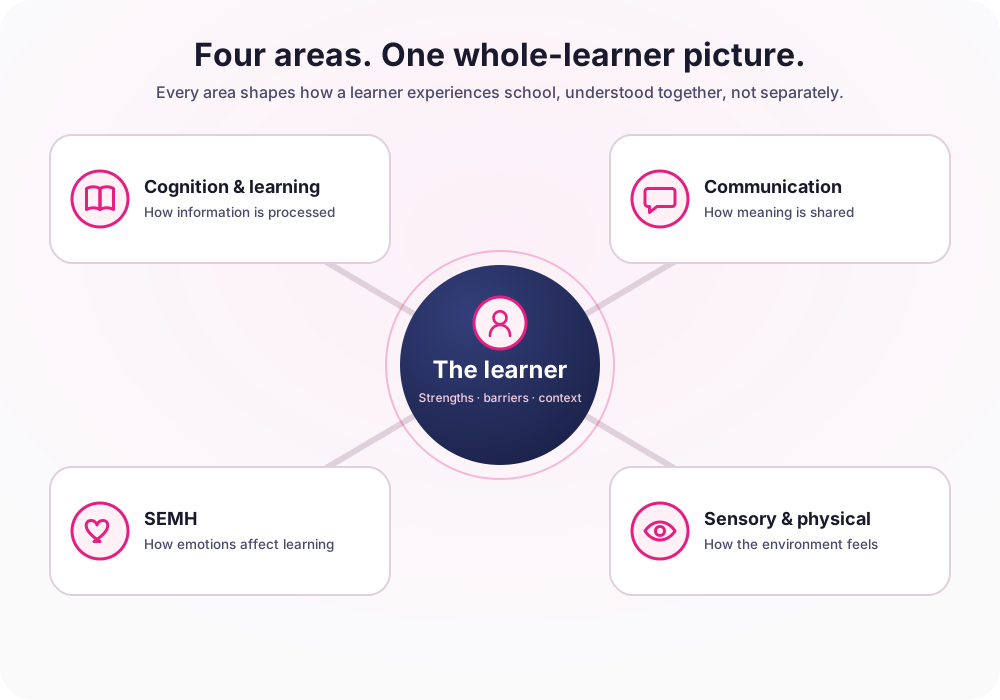
Four areas connect around one profile, so nothing is decided in isolation.
Open it before the lesson. Current target. What works. What to avoid. Behaviour notes. Assessment guidance. In one place, before the lesson starts.
You know which learners need extra support. What you don’t have is a system that puts the right information in front of you at the right moment, before the lesson, not after the assessment.
The SENCO has built detailed support plans for 12 learners in your class. You haven’t read them. Not because you don’t care, because you have 5 minutes and 29 other learners.
A learner is struggling but you don’t know why. Is it a gap in their understanding? A developmental need? An SEMH issue affecting focus? You have no way to tell from where you stand.
You’re supposed to record progress against each learner’s targets. The form is buried in a system you can’t remember the password to. The evidence never gets recorded. The SENCO never finds out.
September arrives. You inherit a class of 30. The previous teacher’s knowledge of who works how is gone. You spend half a term rebuilding what was already known.
PAGS surfaces what a teacher needs automatically, at the moment they need it, in a format that takes seconds to read, not minutes.
Every learner, their current priority target, and what helps them engage, at a glance. Takes 30 seconds. Changes how you plan the next 60 minutes.
It attaches to the learner’s record, timestamps automatically, and updates the SENCO’s evidence trail. No extra form. No separate system. Done in the time it takes to write a text message.
A learner is behind in Year 2 Maths. PAGS shows whether they have an identified need and what provision is already in place. One click. No corridor conversation required.
Tag a colleague in a note when you spot something. They get a notification. The note lives permanently in the learner’s record. No email chains. No lost conversations.
A new teacher. A new class. Day one of term. You have 30 learners and you know almost nothing about them yet.
With PAGS, every learner has a Pupil Passport, a single document that tells you what works for them, what to avoid, how to support them in assessments, and what help they get at home. Generated automatically. Ready before your first lesson.
Concrete manipulatives for number work. Clear written instructions repeated verbally. Movement breaks every 15 minutes.
Whole-class verbal-only instruction. Last-minute task changes. Open-ended writing without a frame.
Reader access for non-Maths/English assessments. Extra time agreed. Quiet room when available.
Daily 10-min reading. Mum reinforces times tables on the school run.
Four daily essentials, plus two that connect the loop to SENCOs and parents, all built to fit the way teachers already work, not add another system on top.
Every learner. Current priority target. What works for them. What to avoid. Behaviour support. Assessment guidance. In one scrollable view, before the lesson starts.
Type your topic. PAGS identifies the most relevant target for each learner and suggests activities aligned to it. Based on actual developmental stage, not generic suggestions.
Record an update against a target in under 30 seconds. Attaches to the learner’s record with your name, the date, and the target. Evidence builds without extra effort.
Tag a colleague or SENCO when you spot something. They get a notification. The note lives permanently in the learner’s record. No email chains. No lost conversations.
Your SENCO sets tasks linked to specific learner targets. Tasks appear on your dashboard when you log in. Complete the task, record a note, done, in one action.
When you record a progress note, parents can see it in the Parent Portal. When a parent adds an observation at home, you see it. The conversation lives in the learner’s record.
Before PAGS, interventions were not being recorded. Now the whole school is doing them.
Michelle Bramhall · SEND Lead, Stone Soup Academy
Ofsted Outstanding, June 2025
average time a teacher spends in PAGS before a lesson, and the only time the system asks of you.
of learners covered. Not just the ones with identified needs, every child in your class has a profile and targets.
required if your school has PAGS. Your SENCO gives you access today. No new account. No IT ticket.
Before you book: PAGS shows you which pupils are falling behind, why, and what to do next.
UCL validated · 4 countries · From £1,450/year · GDPR compliant